Call it once.Every screen follows.
Plan the cue sheet, call it live, every connected screen follows - no more spreadsheet shouted across a green room.
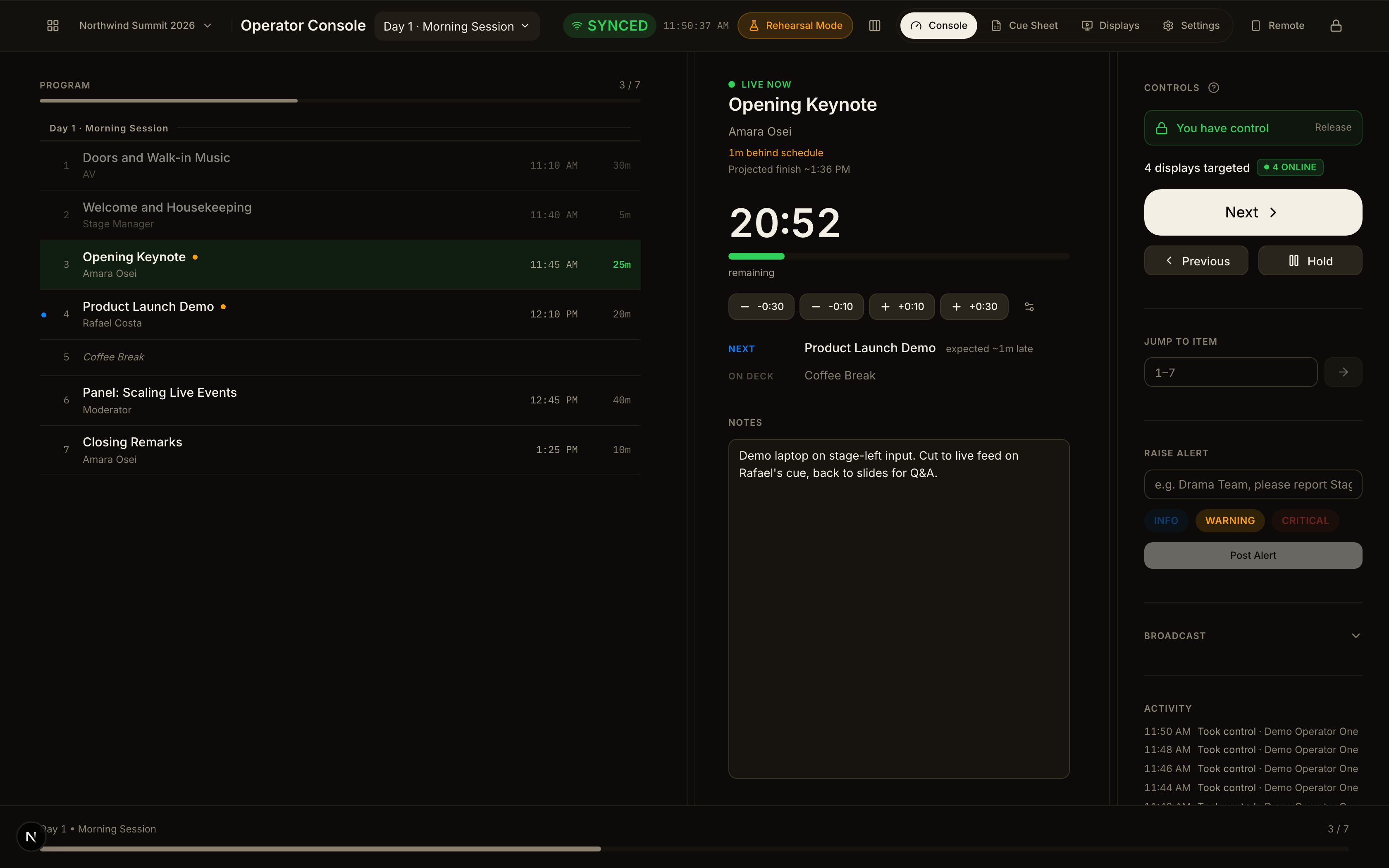
One cue. The room follows.
This is the real console. Call Next, call Previous, or hold - every connected display follows, live.
Controls
You have control
ReleaseKramflow queues the show01, calls each cue live02, and keeps every screen in sync03.
- 1Doors and Walk-in MusicAV8:55 AM30m
- 2Welcome and HousekeepingStage Manager9:25 AM5m
- 3Opening KeynoteAmara Osei9:30 AM25m
- 4Product Launch DemoRafael Costa9:55 AM20m
- 5Coffee Break 10:15 AM15m
- 6Panel: Scaling Live EventsModerator10:30 AM40m
- 7Closing RemarksAmara Osei11:10 AM10m
Controls
You have control
ReleaseControls
You have control
ReleaseThere's more to running a show than a countdown.
The queue is the product. Timers, displays and rehearsal are properties of it, not bolted-on extras.
A real cue sheet, not a timer list
Drag-reorder, bulk edit, and a schedule that recalculates when one item runs long.
Keep every cue's details together
Mic requirements, slides, lighting, camera angle - the Add Item form adapts to the production.
Organize multi-part shows
Multi-day, multi-session events with partitions, not one flat list pretending to scale.
No-login venue displays
A share link, QR code, or 6-digit TV code - nobody in the room needs an account.
Rehearsal without the risk
Run the full sequence end to end without ever touching a connected display.
Built for 200+ item events
Not a countdown tool retrofitted with a queue - the queue was the starting point.
Everything an operator reaches for mid-show.
Bulk edit
Multi-select and change timing, owner or status across items at once.
Share link and QR
Generate or revoke display access in one click, per event.
Live alerts
Broadcast a note to the whole crew without leaving the console.
Multi-day events
Friday Evening, Saturday Morning - each its own session, one event.
Auto-recalculating schedule
One item runs long, the rest of the queue shifts for everyone.
Status at a glance
Current, next, on deck, done - every item's state, without asking.
Hold or jump, freely
Hold on an item or jump to any point - displays follow instantly.
Multi-tenant by default
Any operator signs up and runs their own events, isolated by design.
Bulk edit
Multi-select and change timing, owner or status across items at once.
Share link and QR
Generate or revoke display access in one click, per event.
Live alerts
Broadcast a note to the whole crew without leaving the console.
Multi-day events
Friday Evening, Saturday Morning - each its own session, one event.
Auto-recalculating schedule
One item runs long, the rest of the queue shifts for everyone.
Status at a glance
Current, next, on deck, done - every item's state, without asking.
Hold or jump, freely
Hold on an item or jump to any point - displays follow instantly.
Multi-tenant by default
Any operator signs up and runs their own events, isolated by design.
Get the rundown ready.
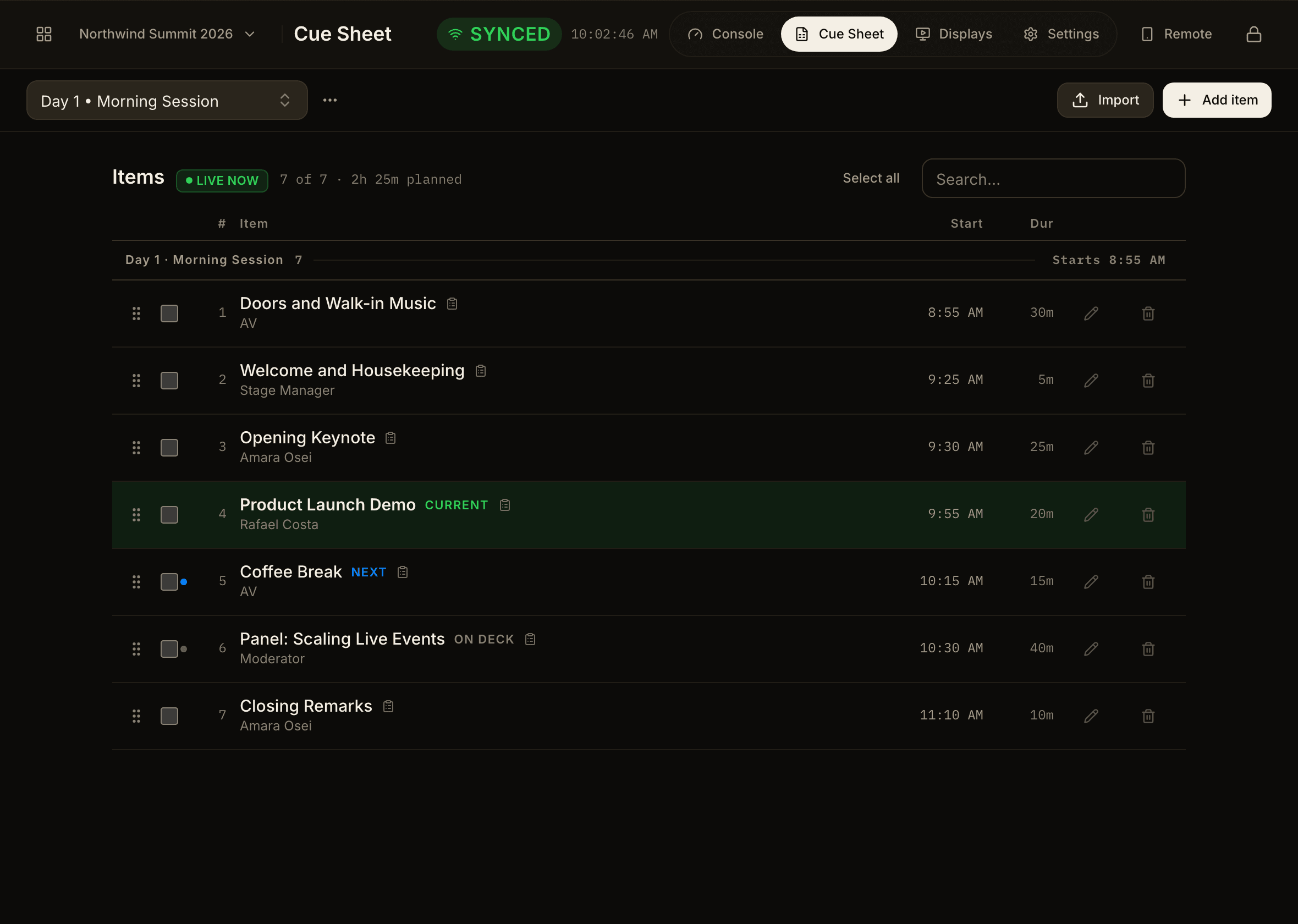
Build the cue sheet, then run the sequence end to end before anyone is in the room.
Organise the session, its items, timings, and people in the cue sheet.
Built the way a live show actually demands it.
No analytics dashboards, no settings-heavy admin on the TV surfaces. Dark mode only. Readable from fifteen feet, understood in three seconds.
Real-time, not polled-and-hoped
Every connected display reflects the live state within about a second of a cue change.
Isolated by tenant, at the database layer
Multi-tenant since day one, not a UI toggle bolted on after the fact.
Three seconds to understand
Every display answers exactly two questions: what's happening now, and what's next.
Stop shouting the spreadsheet across the room.
Free for your first event. No credit card.